
Record the conversation.
Get the notes.

Record any meeting, lecture, or conversation on iPhone, iPad, Mac, and Apple Watch. Convoxa transcribes it and writes the notes for you: what was discussed, what was decided, what you said you'd do.

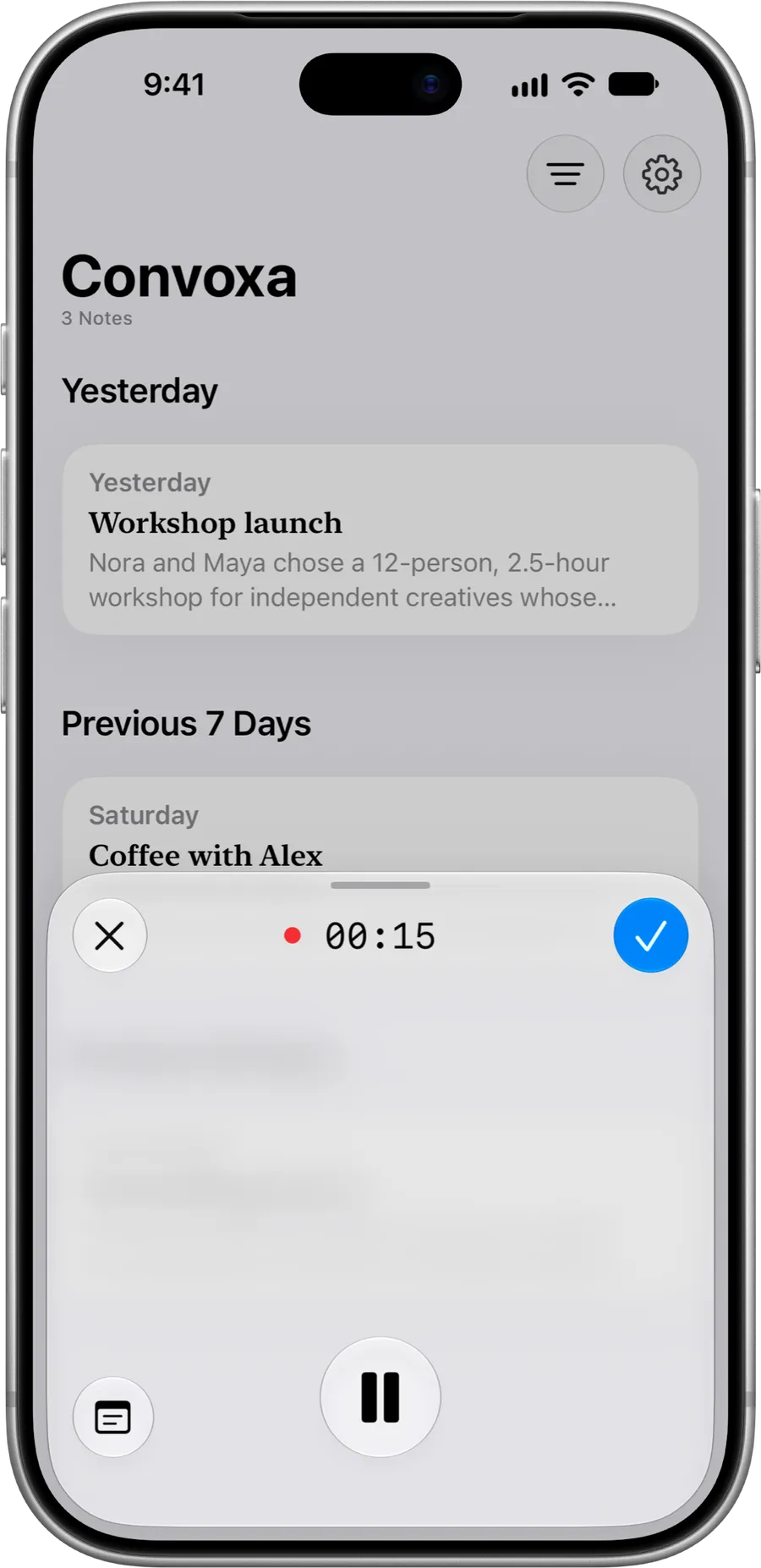
Convoxa recording sheet on iPhone with timer at 00:15

One press to start.

Start at the top of a meeting or halfway through it. A two-hour lecture, a quick client call, a thought in the car.

  • Action Button & Lock Screen

    Start from the Action Button, Lock Screen, or Control Center without unlocking or searching for the app.

  • Menu bar & shortcut

    Click the menu bar icon or press a keyboard shortcut on Mac. The icon turns red while recording without covering your screen.

  • Siri

    Start hands-free at the top of a meeting, halfway through a conversation, or for a thought in the car.

  • Apple Watch

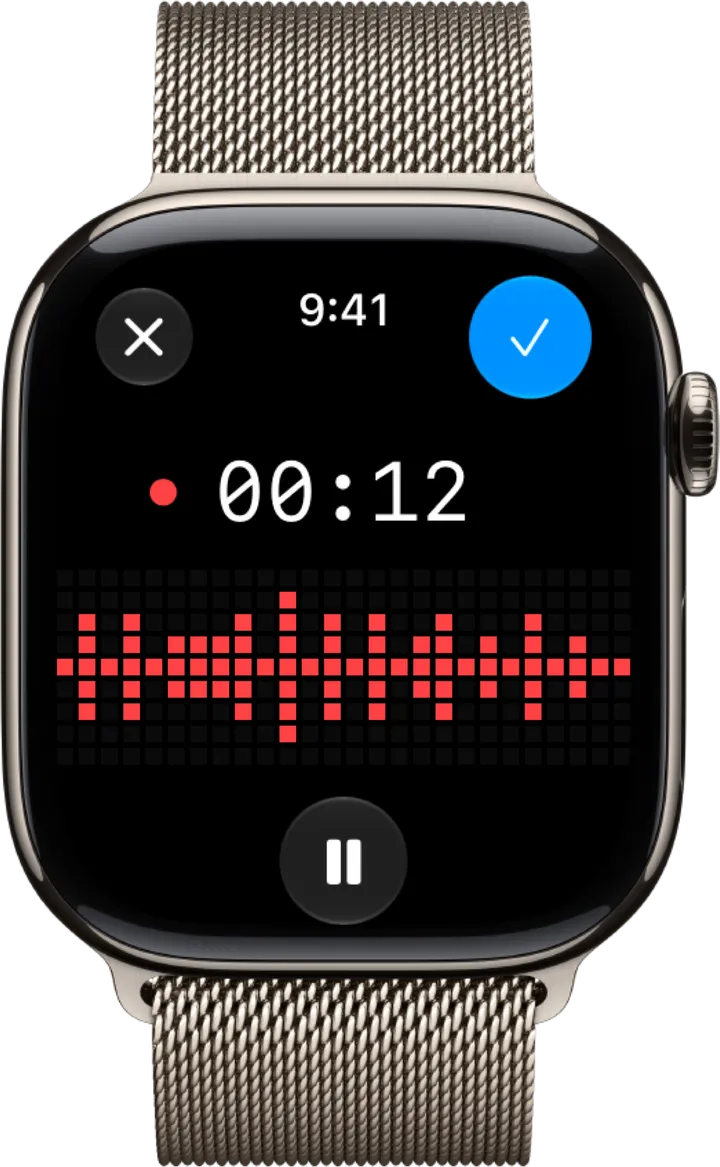
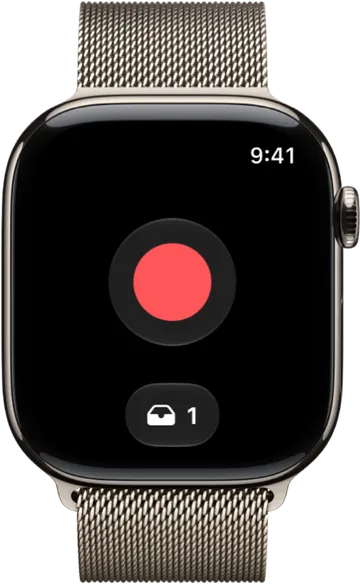
    Start, pause, and finish directly from your wrist when your phone stays in your pocket.

You listen.
Convoxa keeps track.

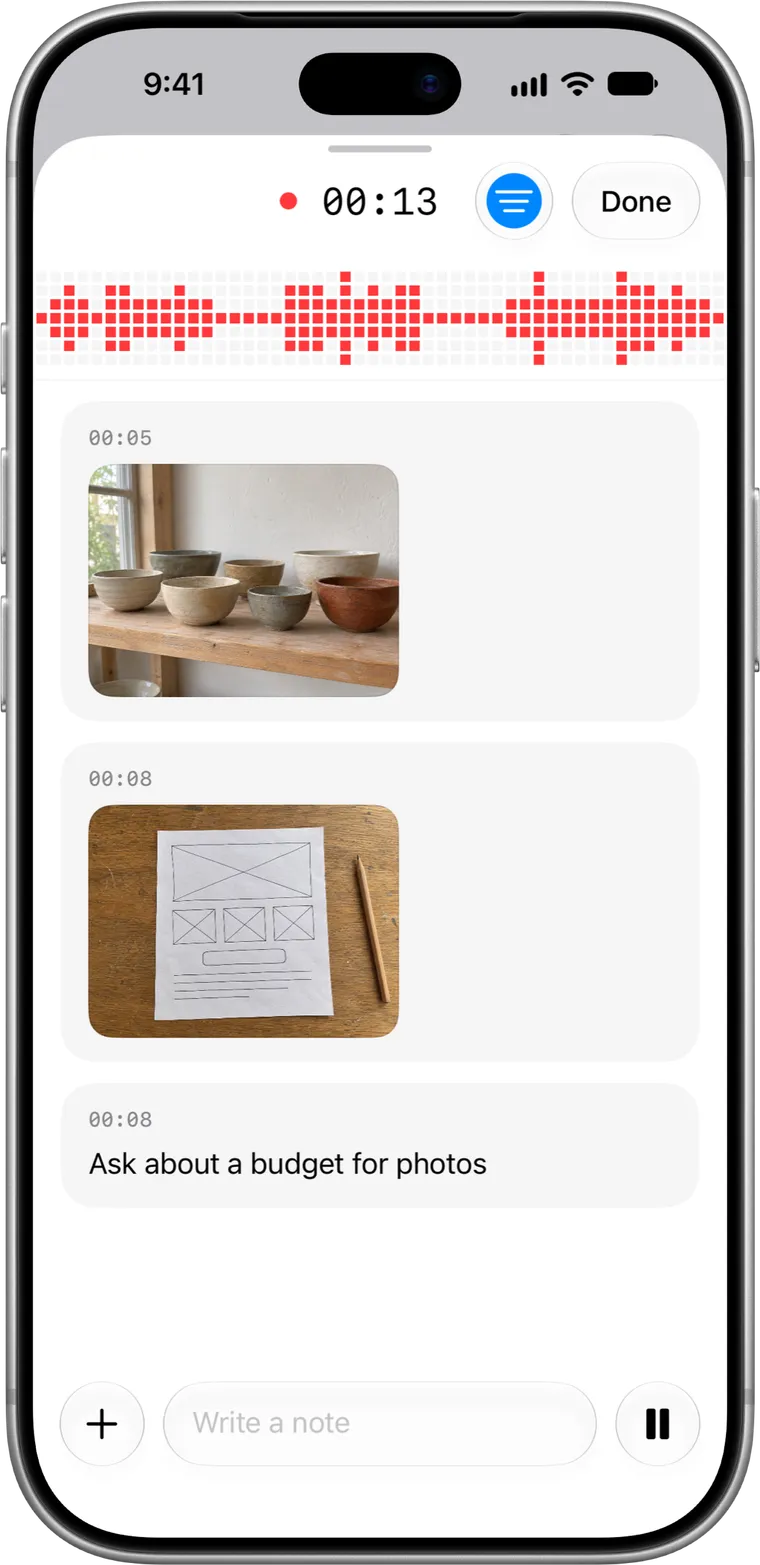
When someone puts up a slide or sketches on the whiteboard, snap it on iPhone — or drop in a file or drag in a screenshot on Mac.

It won't end up as an attachment at the bottom of the note. Convoxa reads it and writes it in where the discussion happened.

  • Snap whiteboards, slides, and paper sketches mid-recording
  • Type a quick reminder or question while listening
  • Drag screenshots and PDFs straight into the Mac recording window
Convoxa recording on iPhone with a captured whiteboard sketch, studio ceramics, and a typed live note

The note writes itself.
Every line links back.

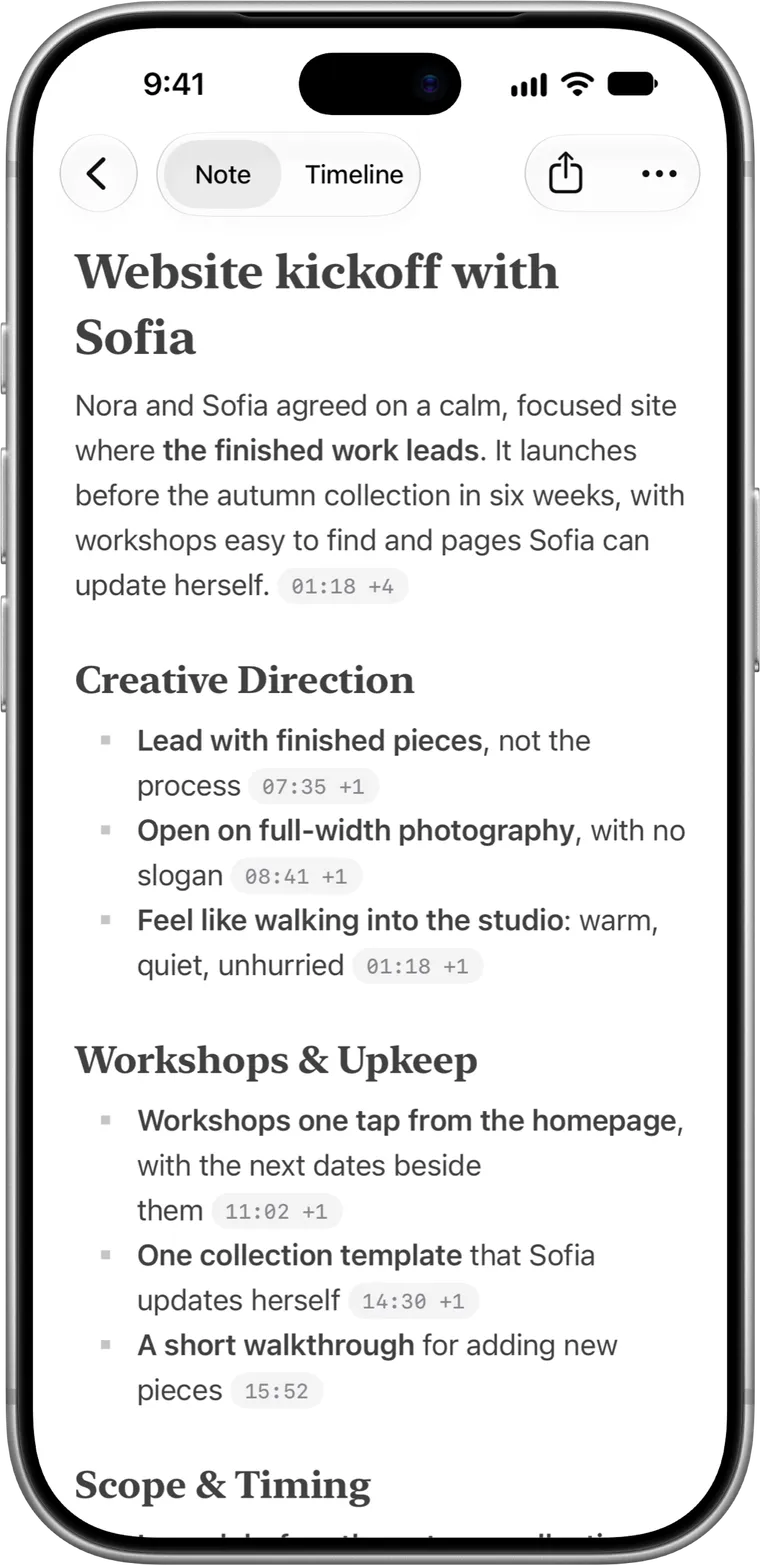
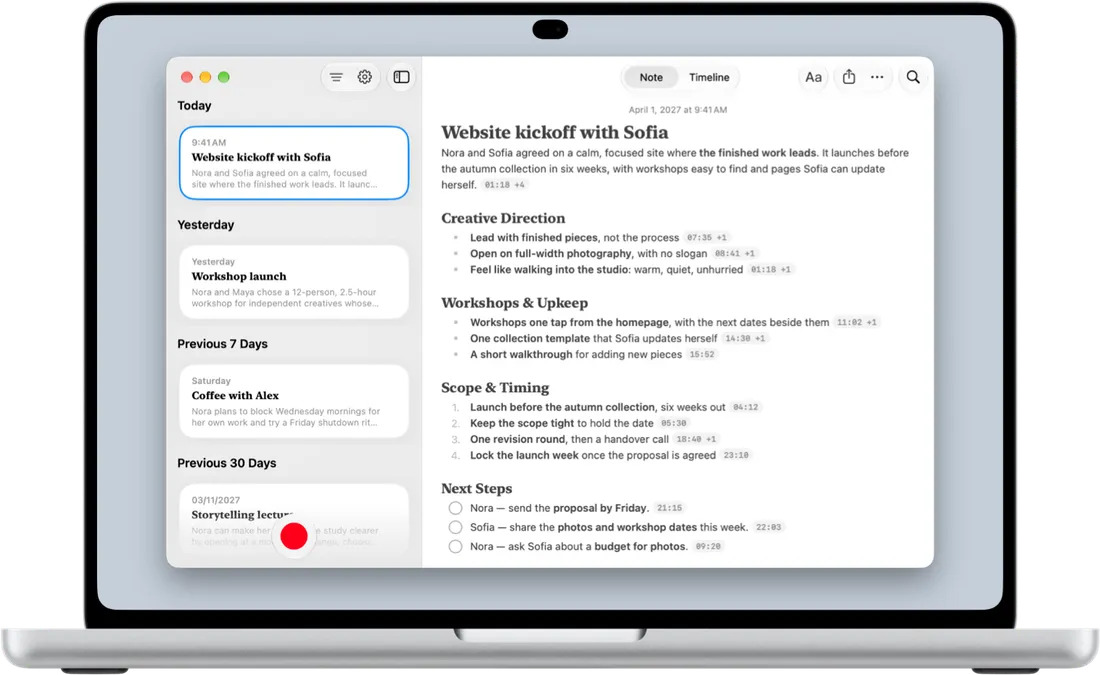
When you finish, the note is ready: headings, key points, decisions, and a checklist of next steps. Rewrite a line, tick off tasks, restructure — and tap any timestamp to hear the exact moment it came from.

Note Select a timestamp

Website kickoff with Sofia

Nora and Sofia agreed on a calm, focused site where the finished work leads. It launches before the autumn collection in six weeks.

Key Decisions

Timeline 14:30
14:02 Nora Ellis

How often do new pieces go up during the autumn firing?

14:30 Sofia Rivera

And I need to update it myself. I can't call a developer every time I add three cups.

15:52 Nora Ellis

I'll set up one collection template and record a short walkthrough for you.

14:30 -09:17

Editable, not a read-only recap

Headings, square bullets, checklists, and timestamp citations you can rewrite and restructure.

Convoxa 3.0 note on iPhone showing Website kickoff with Sofia, square bullets, and timestamp capsules

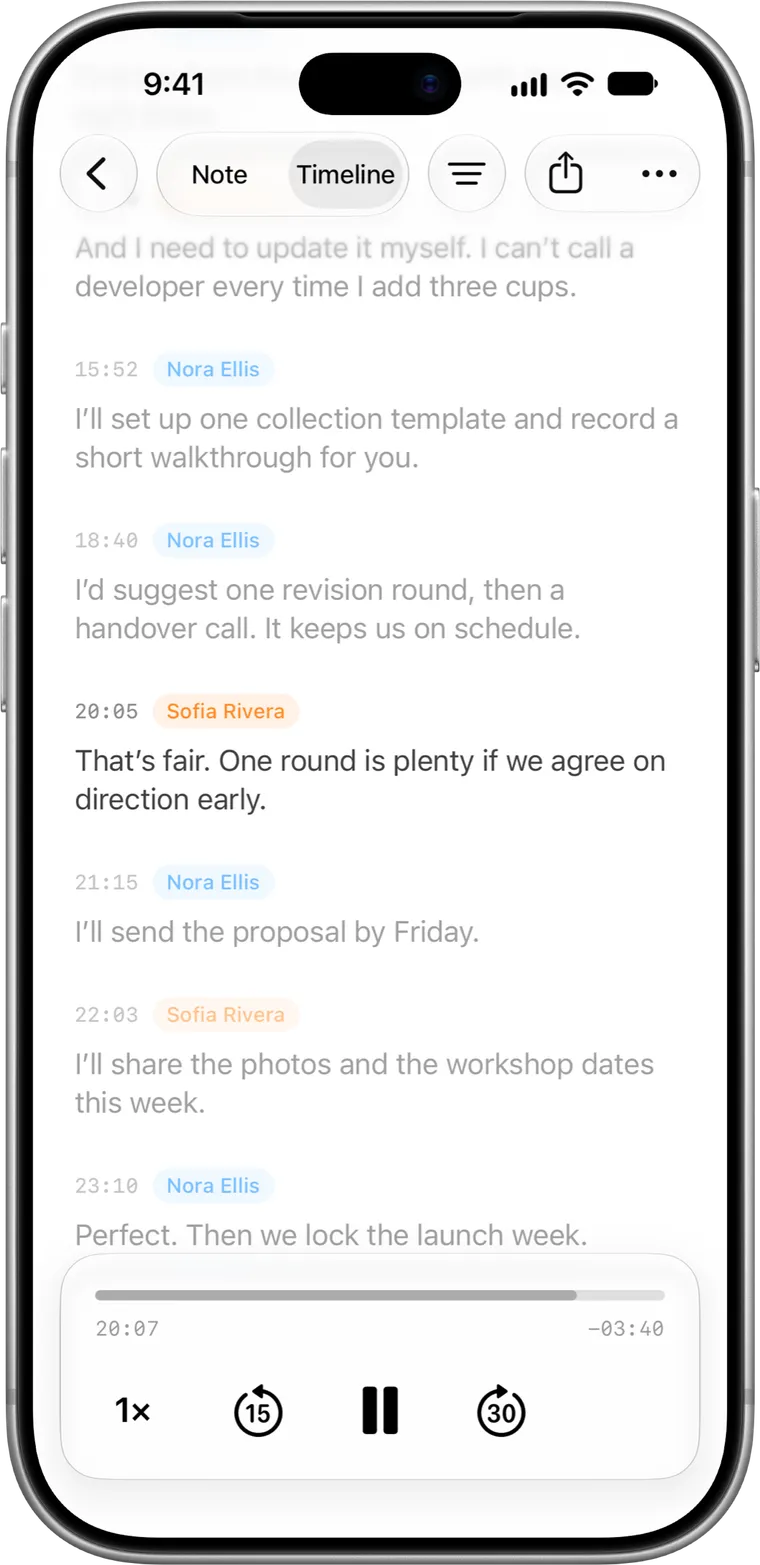
Hear how it was actually said

The quote for your article, the date your professor mentioned, the number the client agreed to.

Convoxa 3.0 timeline on iPhone highlighting a cited speaker quote with audio playback controls

Record the meeting.
No bot required.

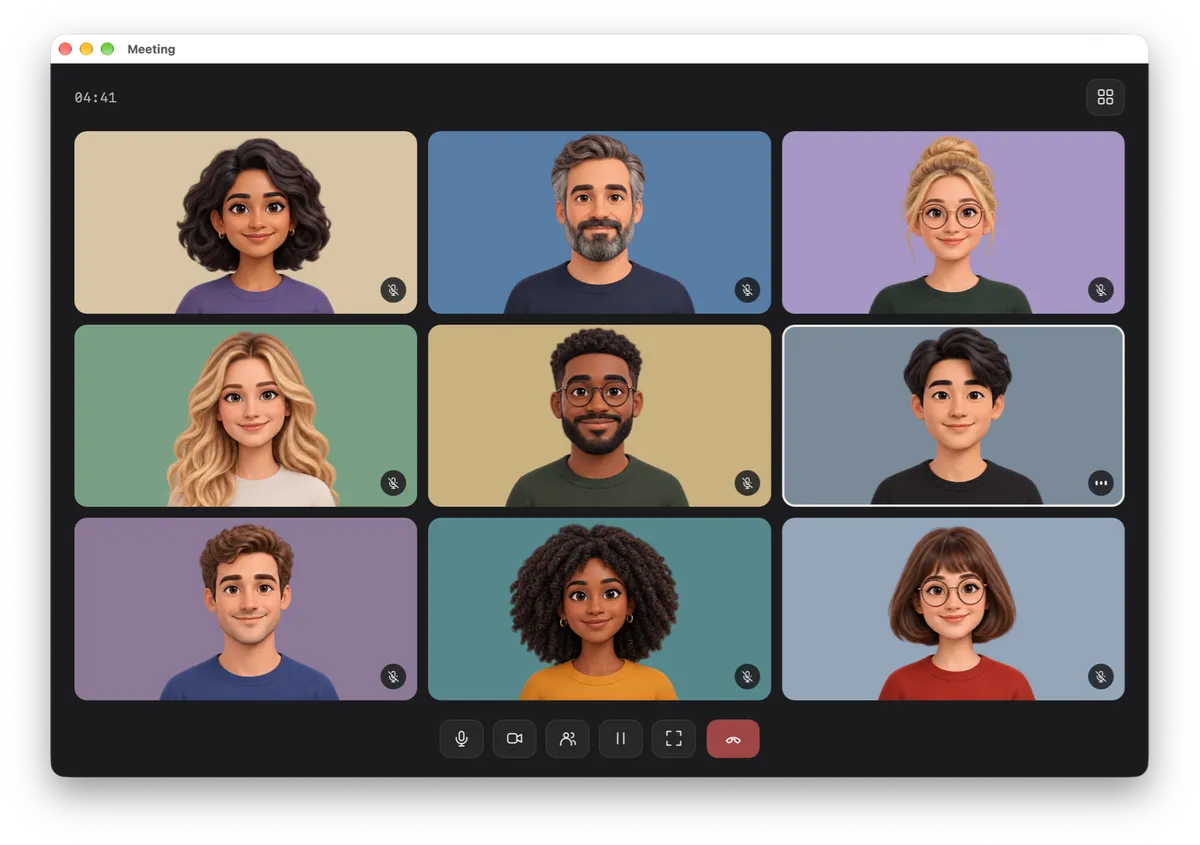
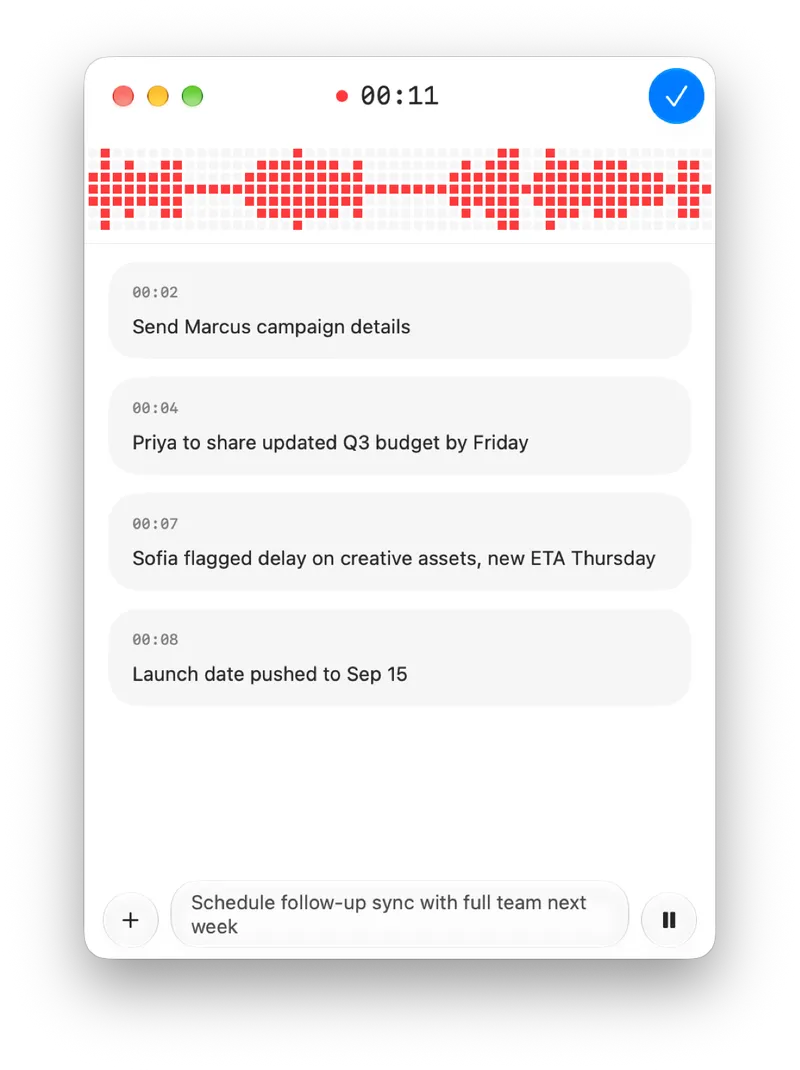
Works with Zoom, Teams, Meet, FaceTime, and anything else that plays sound. Convoxa captures the audio your Mac is already playing along with your microphone — nothing joins the call.

Video call window on Mac with no meeting bot Convoxa Mac recording window showing pixel waveform and live notes beside the call

Your call stays between the people in it

Most meeting recorders join as an extra participant. Convoxa records locally on your Mac from the menu bar or a keyboard shortcut, so the call stays exactly as it was.

Ask your AI about your meetings

Convoxa on Mac includes a local MCP server so AI assistants can search and read your notes. One click adds it to Claude, and any MCP-compatible app can connect too. Ask things like “What did we promise the client last week?”

Record on your Watch.

Start recording from your wrist and stay in the conversation. When you finish, the transcript and note are ready on your iPhone, iPad, and Mac.

Record, pause, and finish right on Apple Watch.
Convoxa recording on Apple Watch with red pixel waveform on black background

On your iPhone, iPad, and Mac.

Everything syncs privately over iCloud, so a meeting recorded on your iPhone is on your iPad and Mac before you sit down with it — and a call recorded at your desk is in your pocket when you leave.

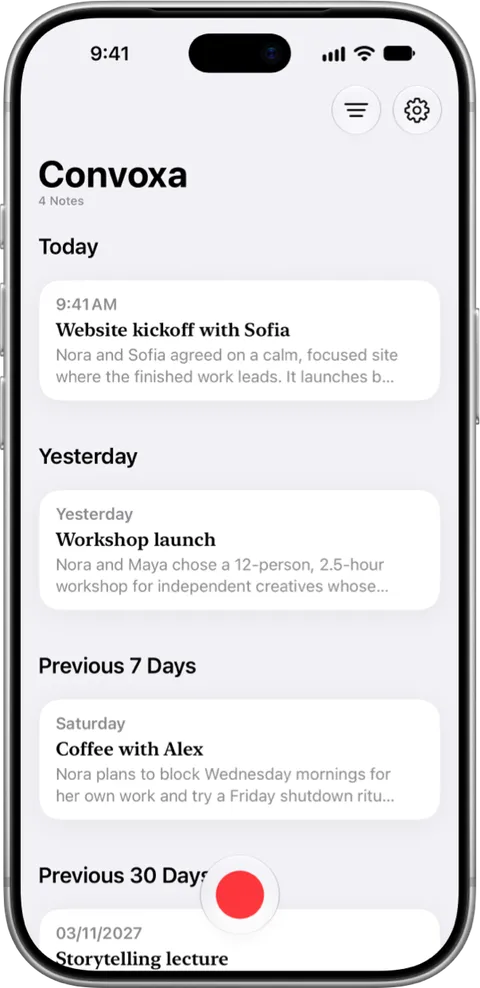
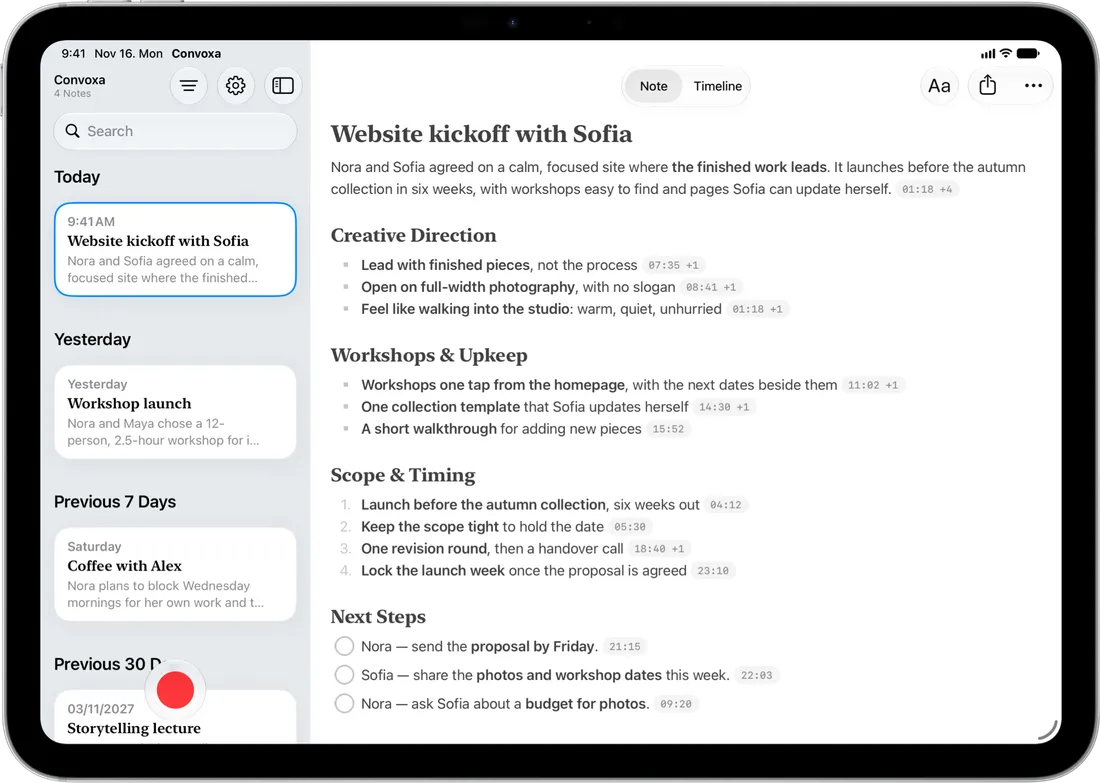
Convoxa on Apple Watch Convoxa note library on iPhone Convoxa note view on MacBook Pro Convoxa two-pane note view on iPad Pro

Find anything

  • Spotlight

    Search every note from Spotlight without opening the app.

  • Siri

    Ask “What did we decide about the launch?” Requires Siri AI, where available.

  • Export anywhere

    Export any note or transcript as plain text, Markdown, or PDF.

  • Shortcuts

    Bring in audio from other apps, or send your notes wherever you work.

Cloud or On-Device.
Confidential by default.

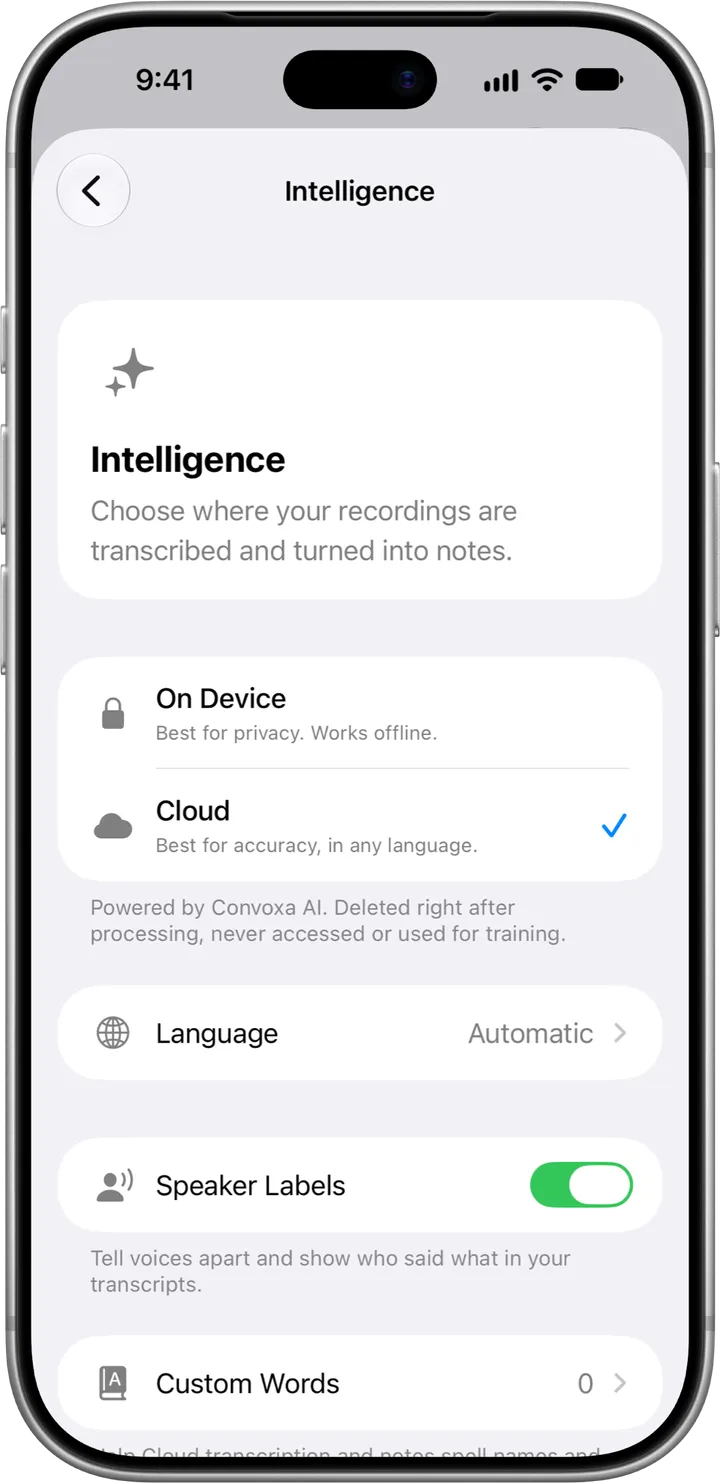
Choose on-device transcription for complete offline privacy, or cloud transcription for 60+ languages and our highest accuracy. Either way, Convoxa labels who said what.

On Device

Works completely offline and shows the transcript live as you record.

  • Audio never leaves your iPhone, iPad, or Mac
  • Powered by Apple Intelligence with on-device speaker labels
  • Available on iPhone 15 Pro and later, and Apple silicon iPad and Mac, in supported languages and regions
Cloud

Understands 60+ languages with our highest accuracy, up to 3 hours on Pro.

  • Audio is deleted as soon as transcription finishes
  • Never stored, never shared, never used to train AI models
  • Automatic language detection and speaker labels included
Convoxa Intelligence settings on iPhone showing On Device and Cloud processing options
  • Your library, not ours

    Your recordings, transcripts, and notes live on your device and sync privately through your personal iCloud account — included on every plan.

  • Deleted as soon as processed

    In Cloud mode, audio is deleted when transcription finishes. It is never stored, never shared, and never used to train AI models. Neither are your notes.

  • Sign in with Apple, nothing more

    Used only for authentication and subscription sync. Use Apple's Private Relay and we never even see your real email address.

  • No ads. No trackers.

    Convoxa is funded by Pro subscriptions, not advertising or data brokerage. Your privacy is the business model.

Free every month

5 recordings every month, up to 30 minutes each, with every feature included — cloud transcription and iCloud sync too.

Convoxa Pro

$14.99/month or $99.99/year with a 7-day free trial on yearly. Unlimited recordings and transcription across iPhone, iPad, Mac, and Apple Watch. Cloud recordings up to 3 hours each.

Compare plans

Start free on the App Store.

One subscription covers iPhone, iPad, Mac, and Apple Watch.

Download on the App Store